How To
Step by step guides for common tasks

User registration
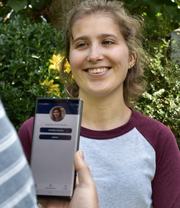
Users can sign up via the mobile app or using the web interface. Signing up in the app is simple, requiring only the user's name and date of birth. Sending a user a code makes it even faster
User devices and verification
A user can be logged into multiple devices, including the web interface, but can only participate in chats or running events on a single mobile device

Account recovery
Authorizing a new device is straightforward from an existing device. If a device is lost or damaged, a number of mechanisms exists to recover a user’s account

Controls for parents
Tangles allows parents / guardians to control whether a child can join and create communities and what information they can share with those communities. Parents can also participate in community chats.

Mobile app vs web
The web and app interface follow a similar structure and in general it is possible to view and configure everything from either the web interface or the mobile, however there are some small differences
Communitites

Creating a community
Trusted communities are at the heart of Tangles. Communities allow you to manage your members, communications and events
Add members to a community
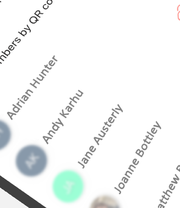
Members can be added to a community in a number of ways. Tangles keeps a separate view of a member’s details to those held and controlled by the user themselves

Community Teams
You can create teams for your community and assign members to them. Members can belong to multiple community teams

Member and participant roles
Members can be assigned roles within a community. As well as indicating which people have roles, these are also used to control access to view or modify different types of information

Managing parents in a community
You can communicate with the registered parents of your youth members and view their contact details

Creating a community stock inventory
Communities can record equipment and stock items that they have for use at events, either for loan or to purchase outright. This can be anything from a tent to an event t-shirt.
Planning and running events

Creating events
Create events that you control or allow participants to sign themselves up. Communicate with participants or parents up to and during the event.

Adding participants to an event
Participants are added from a community’s existing members using a simple drag and drop or by using existing community teams.

Event teams
Split your event participants into teams that can collaborate, compete or just work independently from each other.
Checking participants in
Attendance at an event is managed by checking participants in using their unique code. Checking in enables chat and location tracking is configured

Medication Administration
Medical records can be collected and stored against the profile of each community member or event participant to ensure the safe administration of prescribed medicines and support during an event.

Incident Reporting
Records of incidents involving one or more event participants can be created and stored to support the safety and welfare of all partipants. An incident can relate to any occurrence that the organisers feel should be noted and not be exclusive to first aid or health incidences.

Event states
An event’s state controls what participants are able to do at a given time. Some states can be managed automatically such as ending the event at the given time.
Community Forms
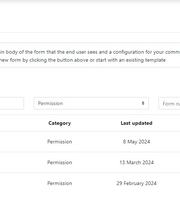
Tangles events provides for the creation of arbitrary forms to be completed by community members or by participants for a specific event.
Forms present important information in an easy format for members to access and are particularly valuable to capture and store essential information for members and events directly in the system.

Route planning and tracking
Route planning
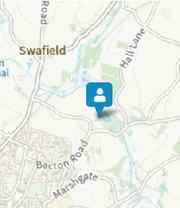
Create waypoint and route maps for your events. Group participants into teams and allow each team to create their own route. Either use a common set of waypoints or each team can have their own.
Viewing maps in the app
Event participants can view maps and map layers in the app prior to the event starting and during events depending on how the map has been configured

Participant tracking
Tangles allows event facilitators to keep track of individuals and teams once the event is running. Configure the event location, enable tracking and ask your participants to enable tracking permission.
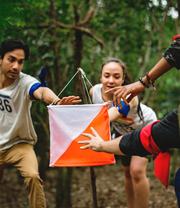
Checking into waypoints
For events that allow participant location tracking, waypoint check-in can be enabled. This allows participants to check into each waypoint on a route and record their progress
Integrations

Integrating with OSM
For communities created using one of the scout related templates, an Online Scout Manager account can be associated with the Tangles community

Show events in WordPress
Use the Tangles Events WordPress plugin to add Widgets or content blocks to your WordPress site. Select which of your upcoming events to include in a calendar style layout.